

Interactive Design History Timeline
A responsive learning system that turns a dense design history archive into connected movements, artists, artworks, search paths, and a focused Alvin Lustig deep dive.
- Interaction design
- Information architecture
- Component systems
- Visual research
- Responsive UX
01
Overview
A solo challenge with product-scale ambition.
This assignment is normally completed by a group. I asked my professor to complete it independently so I could own the research, structure, visual language, component system, and interaction decisions from end to end.
- Role
- Solo UX/UI designer
- Course
- GIT 540 · Interaction design
- Platform
- Responsive educational web experience
- Focus
- Research, systems, prototyping, and user testing
02
Research foundation
The interface began with an artist, not a screen.
Before designing the digital experience, I researched Alvin Lustig and translated that work into an editorial magazine and a historical infographic. The print work established the visual vocabulary and content relationships the interface would later organize.
Read the magazine
Cover
View 1 of 8
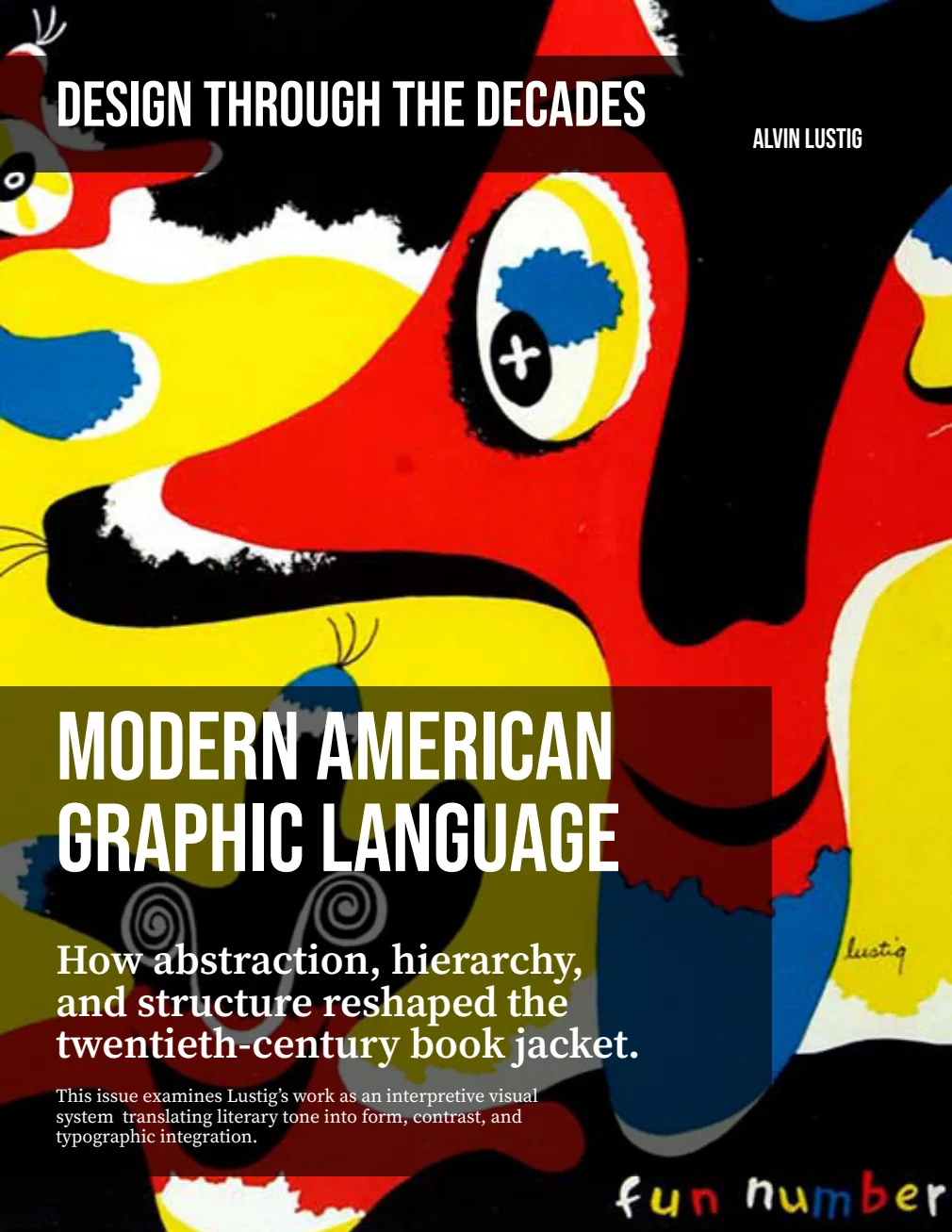
The reader preserves the pacing of the editorial artifact while keeping each spread legible on mobile and desktop. The visual appendix is intentionally omitted so the focus remains on research, writing, and print layout.
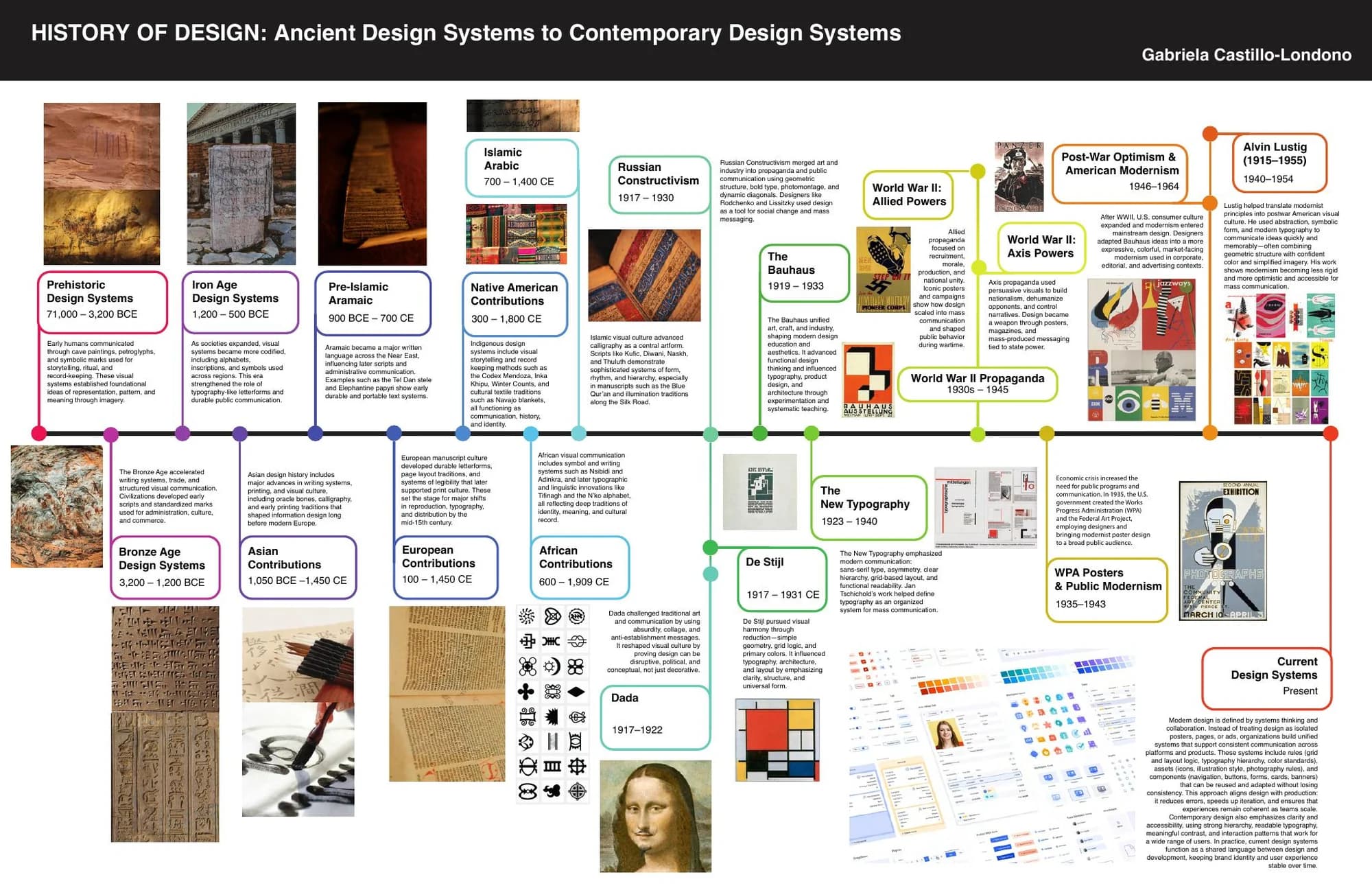
Design History Timeline Infographic
71,000 BCE to contemporary design systems
The printed timeline positions Lustig within a much longer history of visual communication. On small screens, focus the viewer and use arrow keys, a trackpad, or touch to move through the full artifact.
Use touch, trackpad, or the controls to explore
03
Lab 4.1 · Figma fundamentals
A component system before the interface.
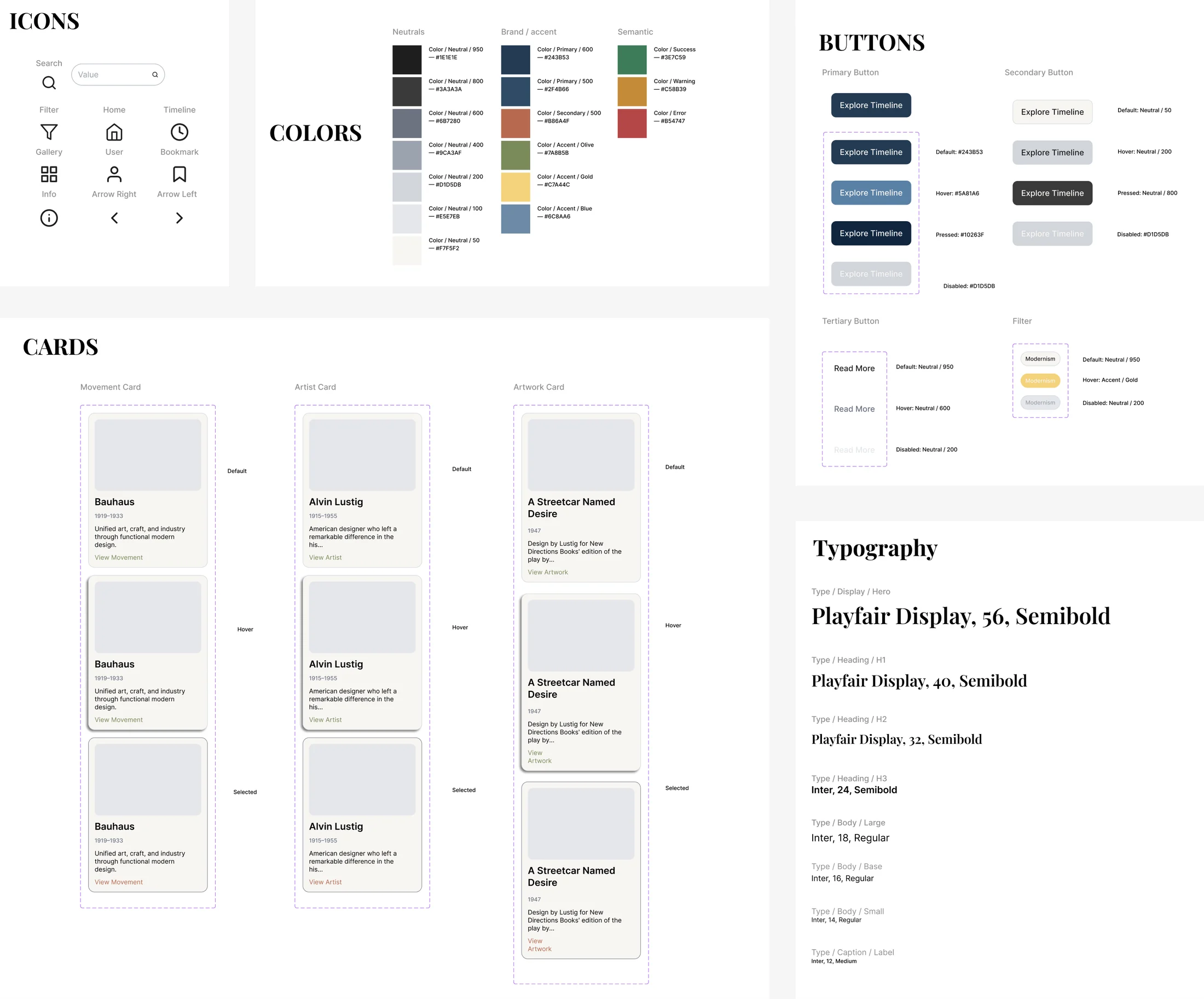
I defined the visual primitives and reusable states before assembling full pages. That work reduced later inconsistency and made movement, artist, and artwork content feel related without making every card identical.
04
Lab 4.2 · Information architecture
A learning system, not a collection of pages.
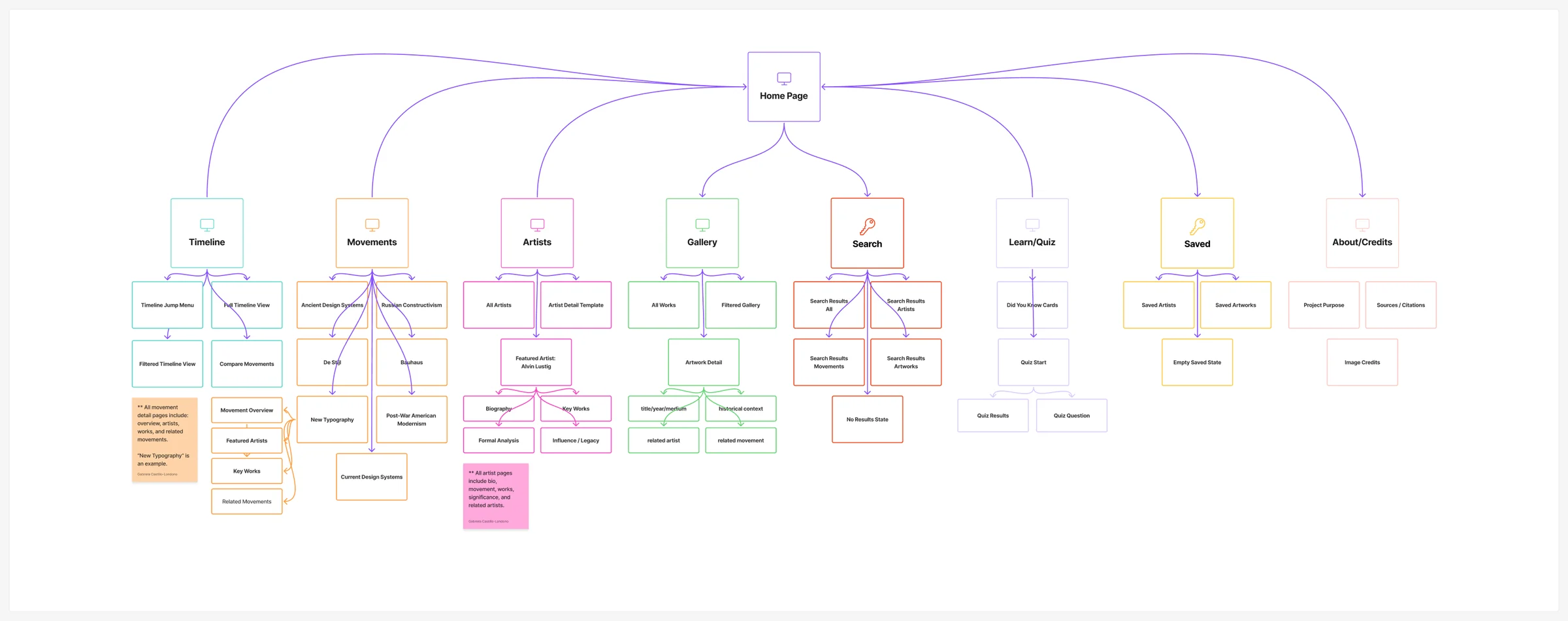
The sitemap defines how timelines, movements, artists, artworks, search, quizzes, saved content, and credits connect. Reusable page templates keep the archive scalable while cross-links support exploration rather than a single prescribed path.
Use touch, trackpad, or the controls to explore
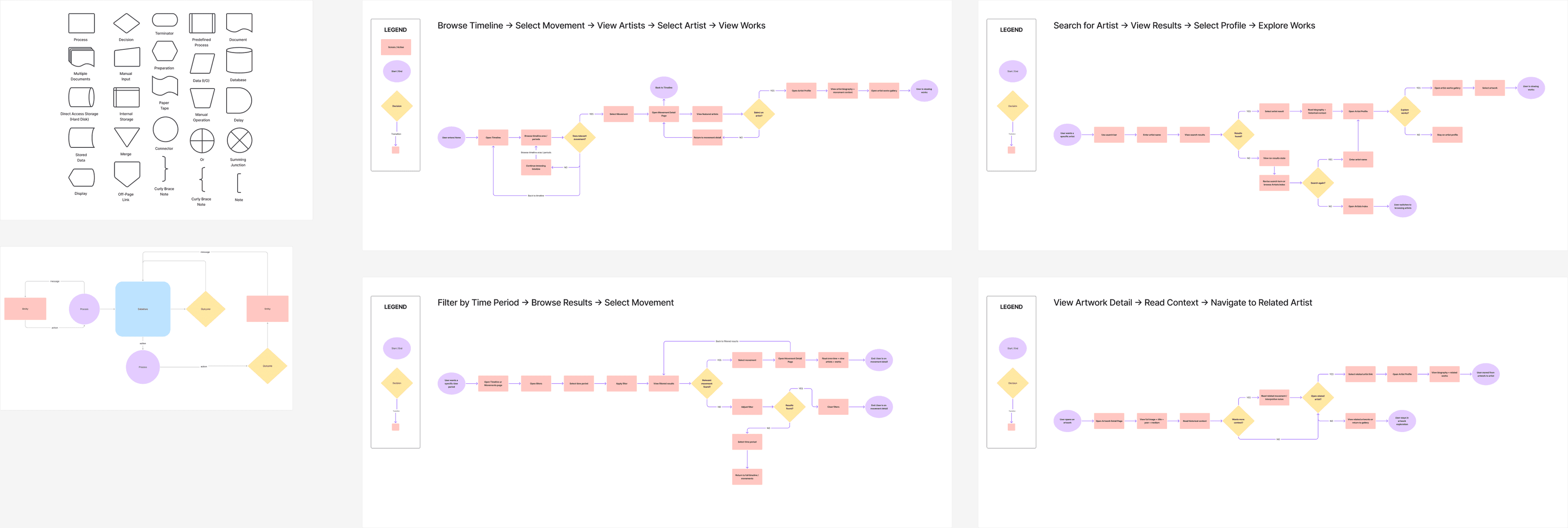
Four core flows
Different entry points, one connected model.
Users can begin with chronology, a known artist, a time period, or an individual artwork without losing historical context.
- 01
Browse the timeline, choose a movement, then explore its artists and works.
- 02
Search for an artist, open their profile, then explore their work.
- 03
Filter by time period, browse the results, then open a movement.
- 04
Open an artwork, read its context, then explore a related artist or movement.
05
Lab 4.3 · User flow mapping
The architecture was tested as a sequence of decisions.
User flows mapped the steps and decision points behind browsing the timeline, searching for a known artist, narrowing results by time period, and moving from an artwork to related historical context.
Use touch, trackpad, or the controls to explore
06
Lab 4.5 · Mid-fidelity prototype
Structure became a navigable product.
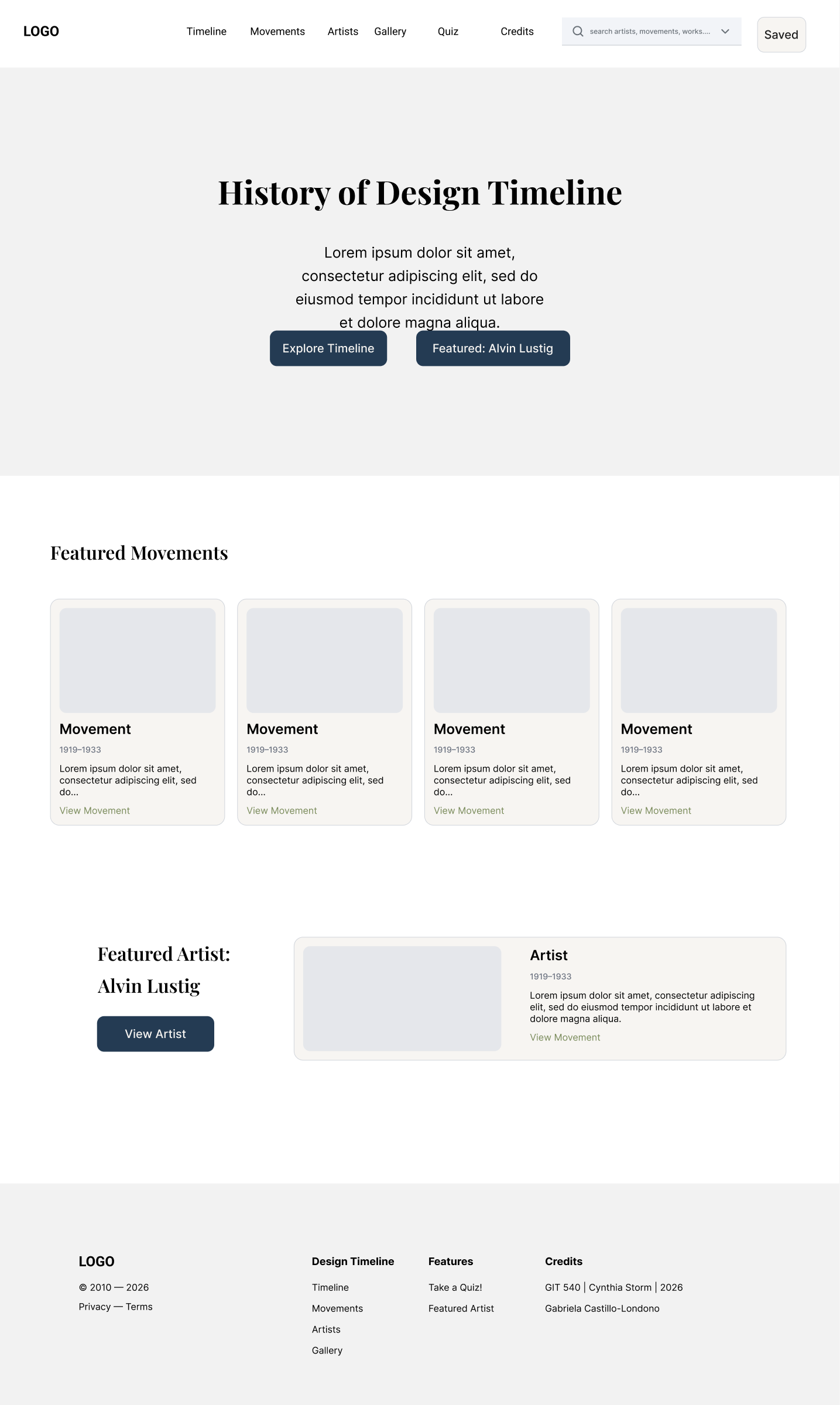
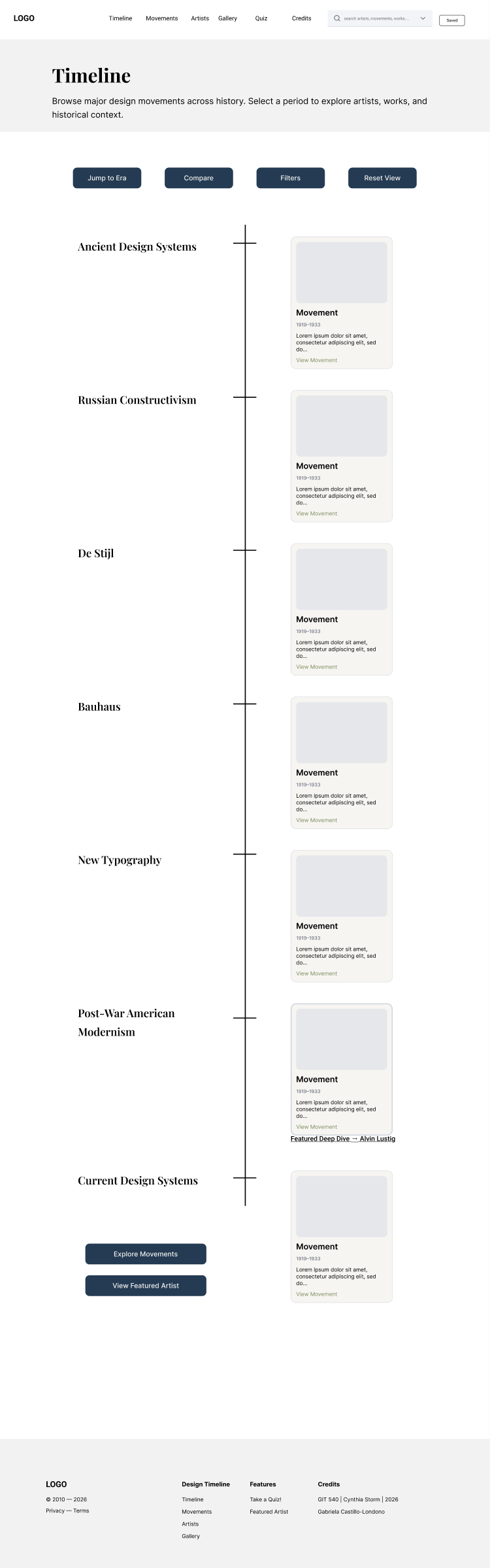
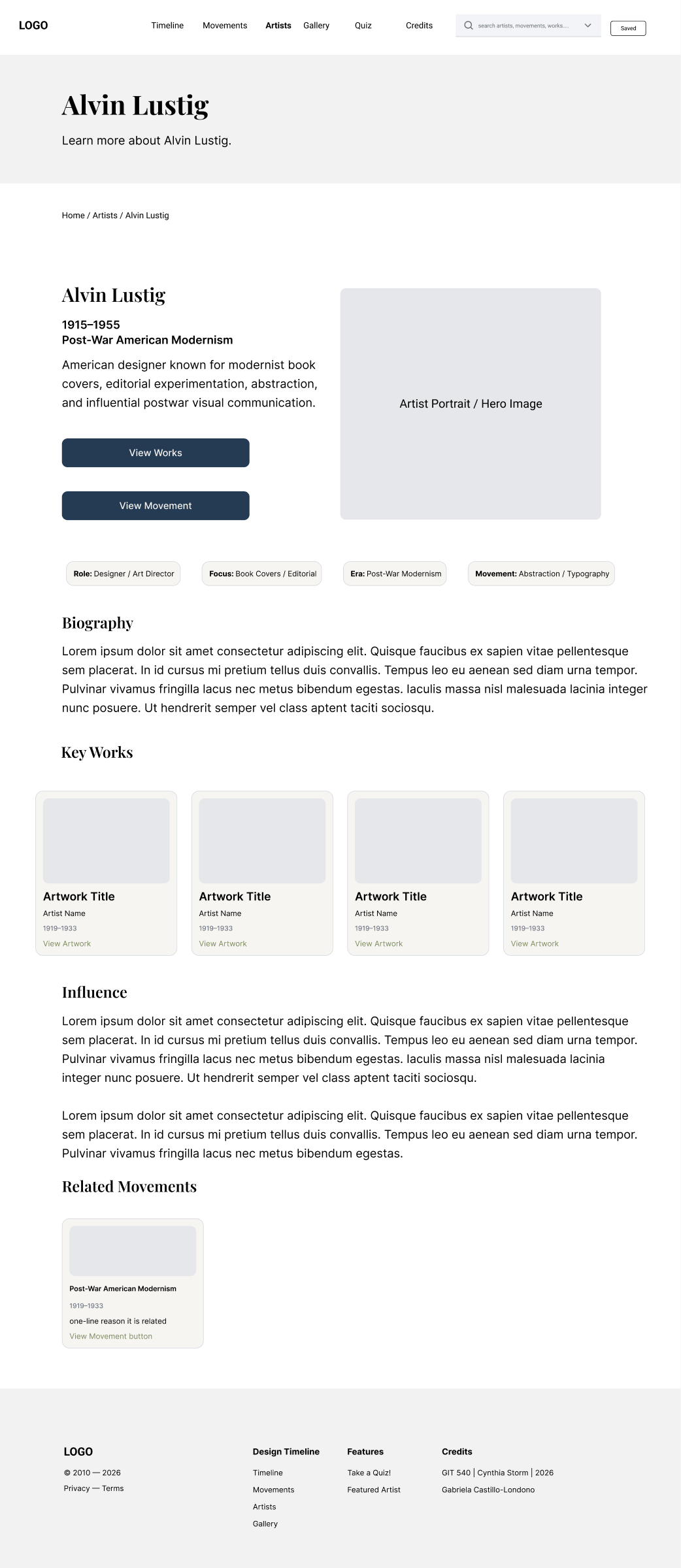
The mid-fidelity pass translated the content model into complete page templates, consistent navigation, filters, search, and an Alvin Lustig detail path before visual polish became the focus.
Mid fidelity
Home
Open the full screen to inspect its complete reading order.
Mid fidelity
Timeline
Open the full screen to inspect its complete reading order.
Mid fidelity
Alvin Lustig detail
Open the full screen to inspect its complete reading order.
07
Lab 4.6 · High-fidelity design and iteration
The archive gained an editorial voice.
The high-fidelity system adds historical imagery, a refined typographic hierarchy, stronger content grouping, and a consistent dark blue and warm neutral visual language across page types.
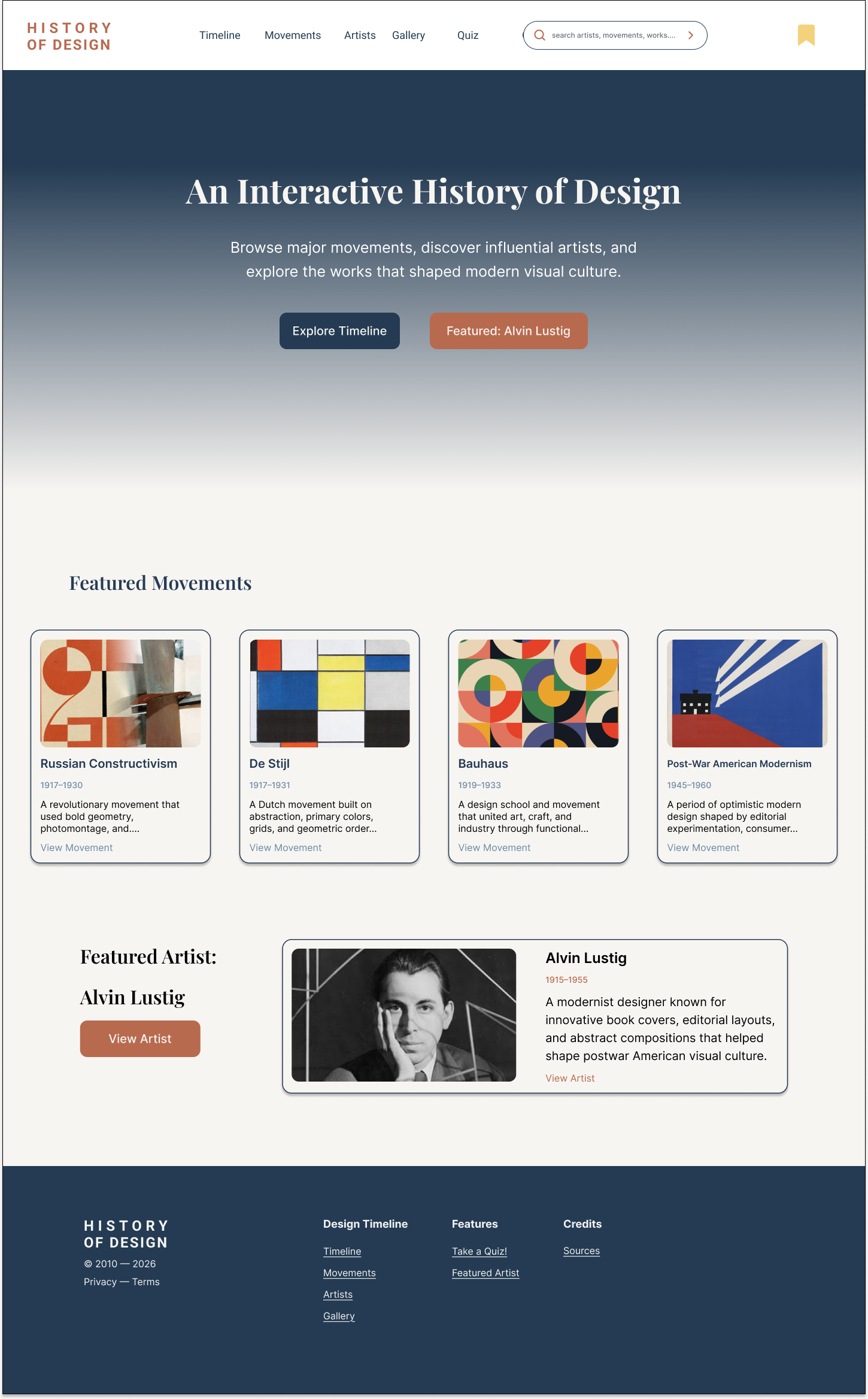
High fidelity
Home
Open the full screen to inspect its complete reading order.
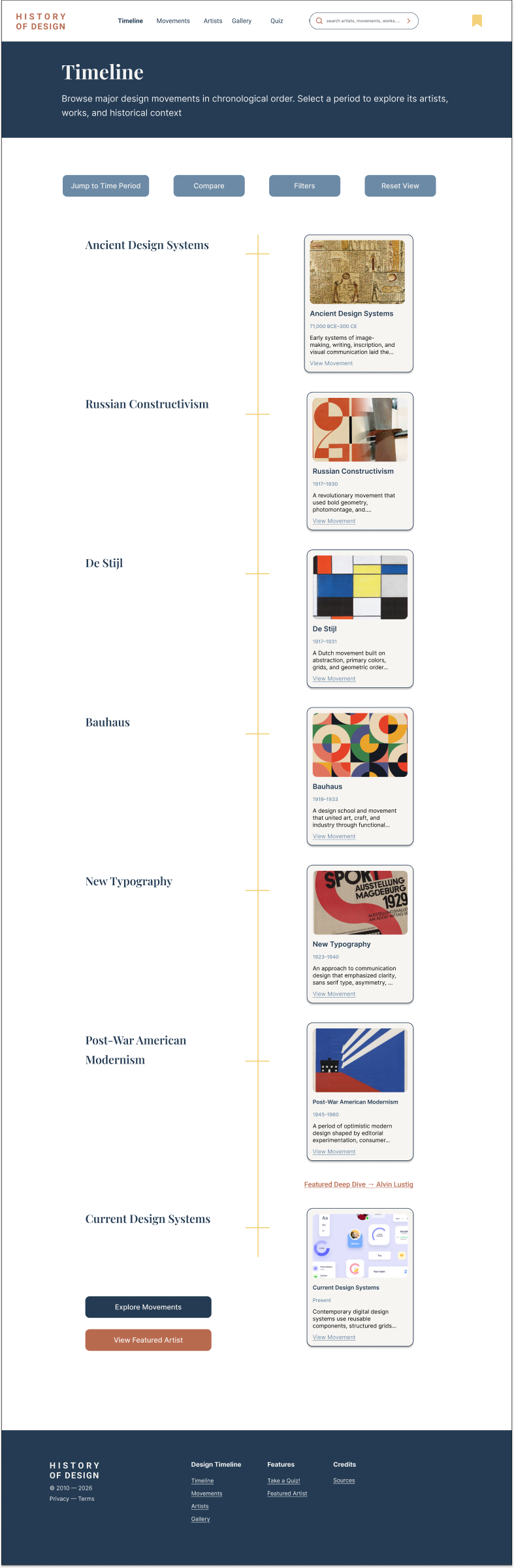
High fidelity
Timeline
Open the full screen to inspect its complete reading order.
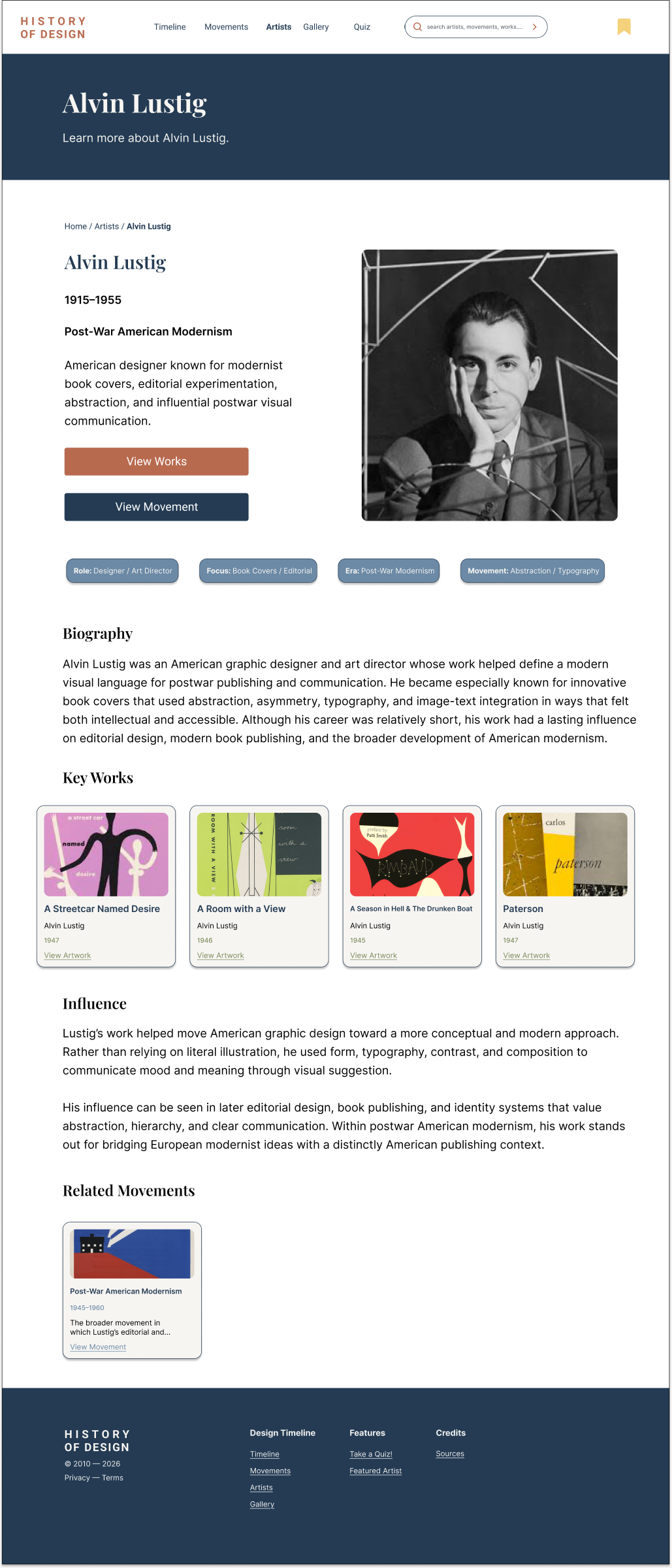
High fidelity
Alvin Lustig detail
Open the full screen to inspect its complete reading order.
08
Lab 4.7 · Interactive prototyping and user testing round 2
Testing turned polish into clearer behavior.
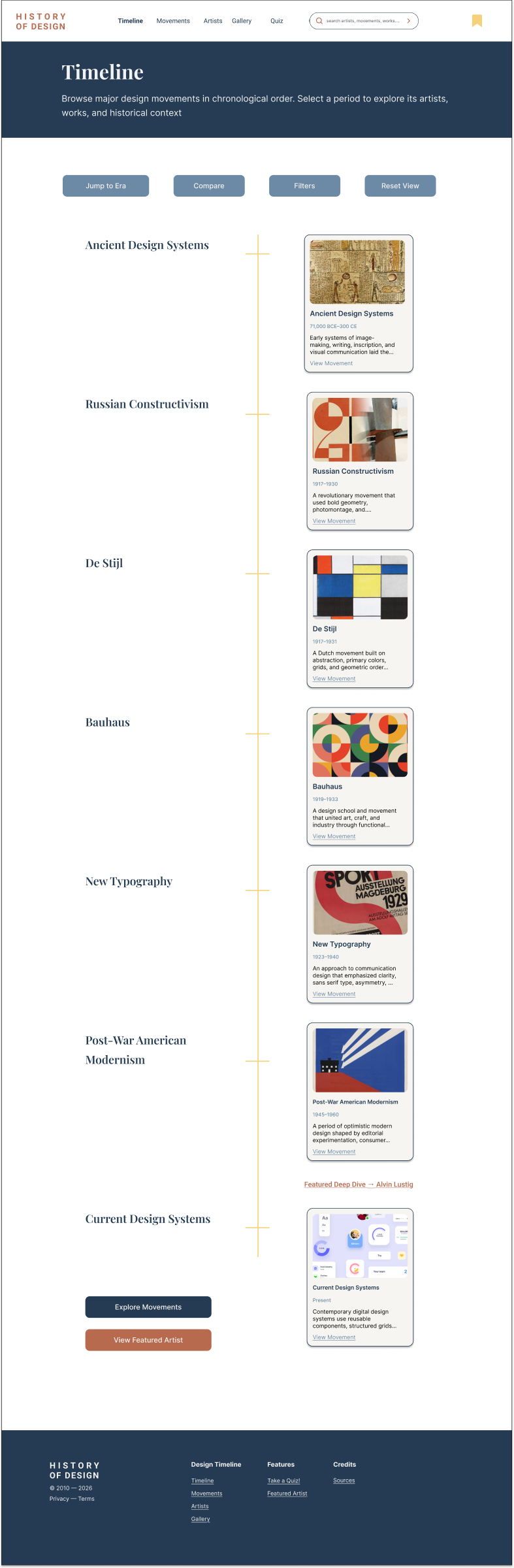
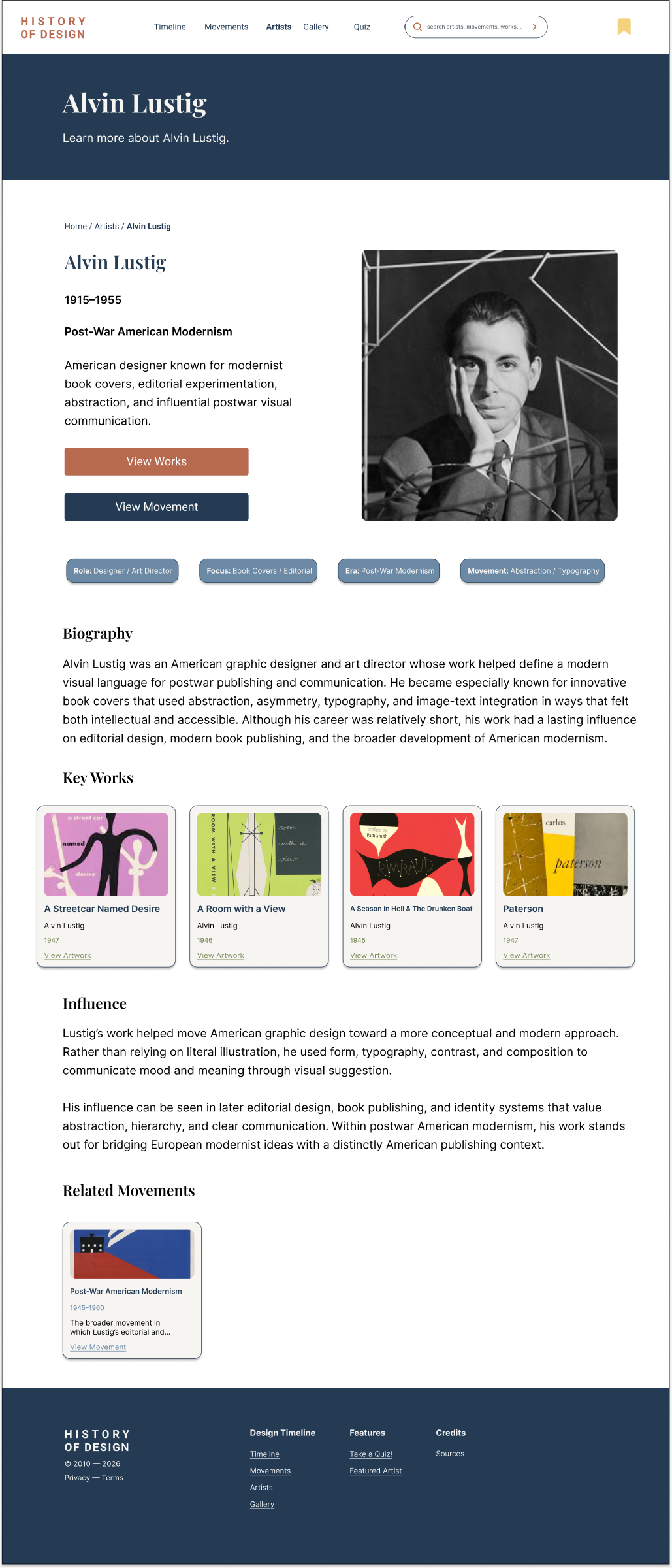
Five participants with low to moderate design-history familiarity completed tasks across timeline browsing, Alvin Lustig discovery, search, filters, related content, the quiz, and saved items. Their feedback shaped the final interaction states and supporting screens.
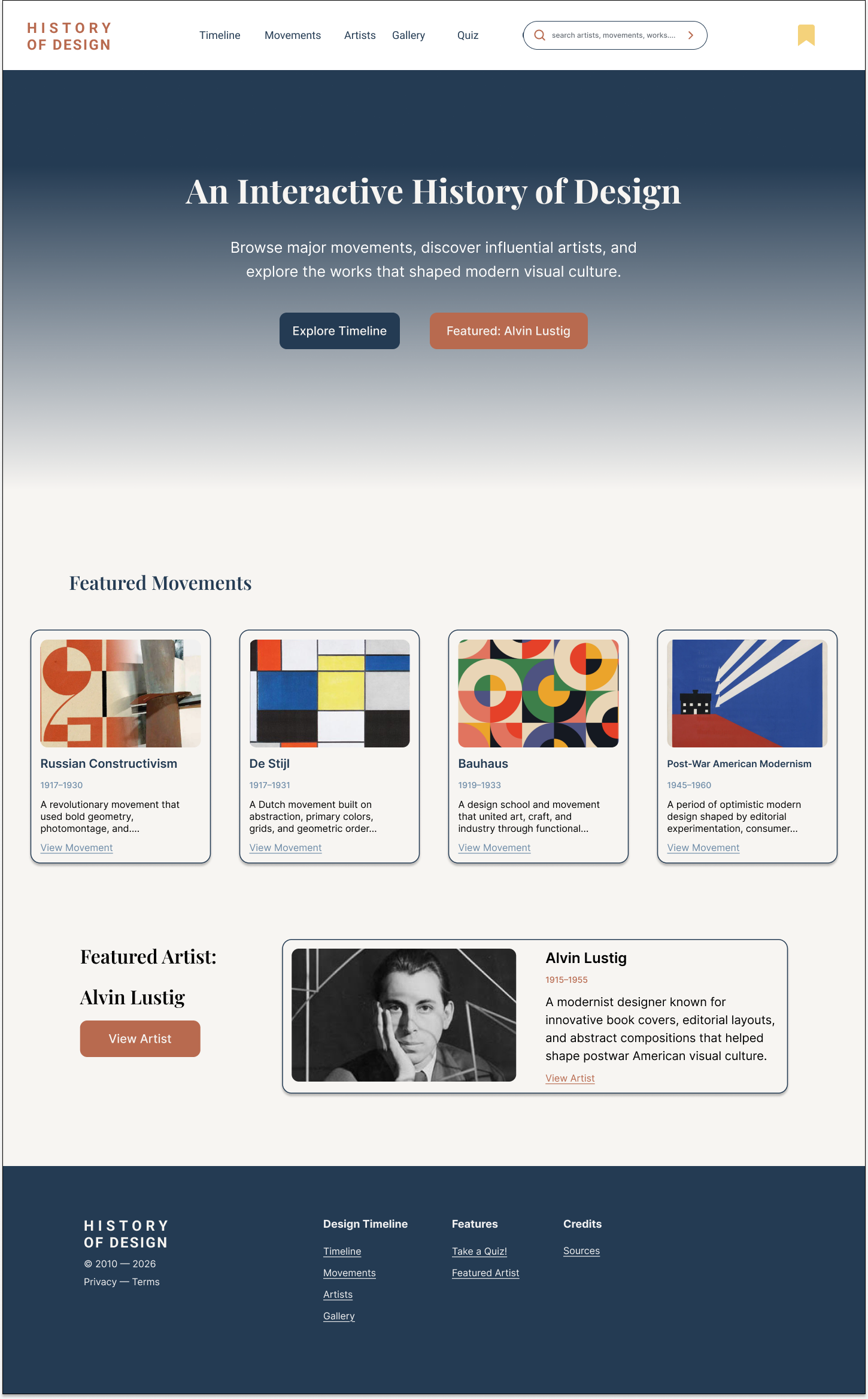
Tested prototype
Tested home
Open the full screen to inspect its complete reading order.
Tested prototype
Tested timeline
Open the full screen to inspect its complete reading order.
Tested prototype
Tested Alvin Lustig detail
Open the full screen to inspect its complete reading order.
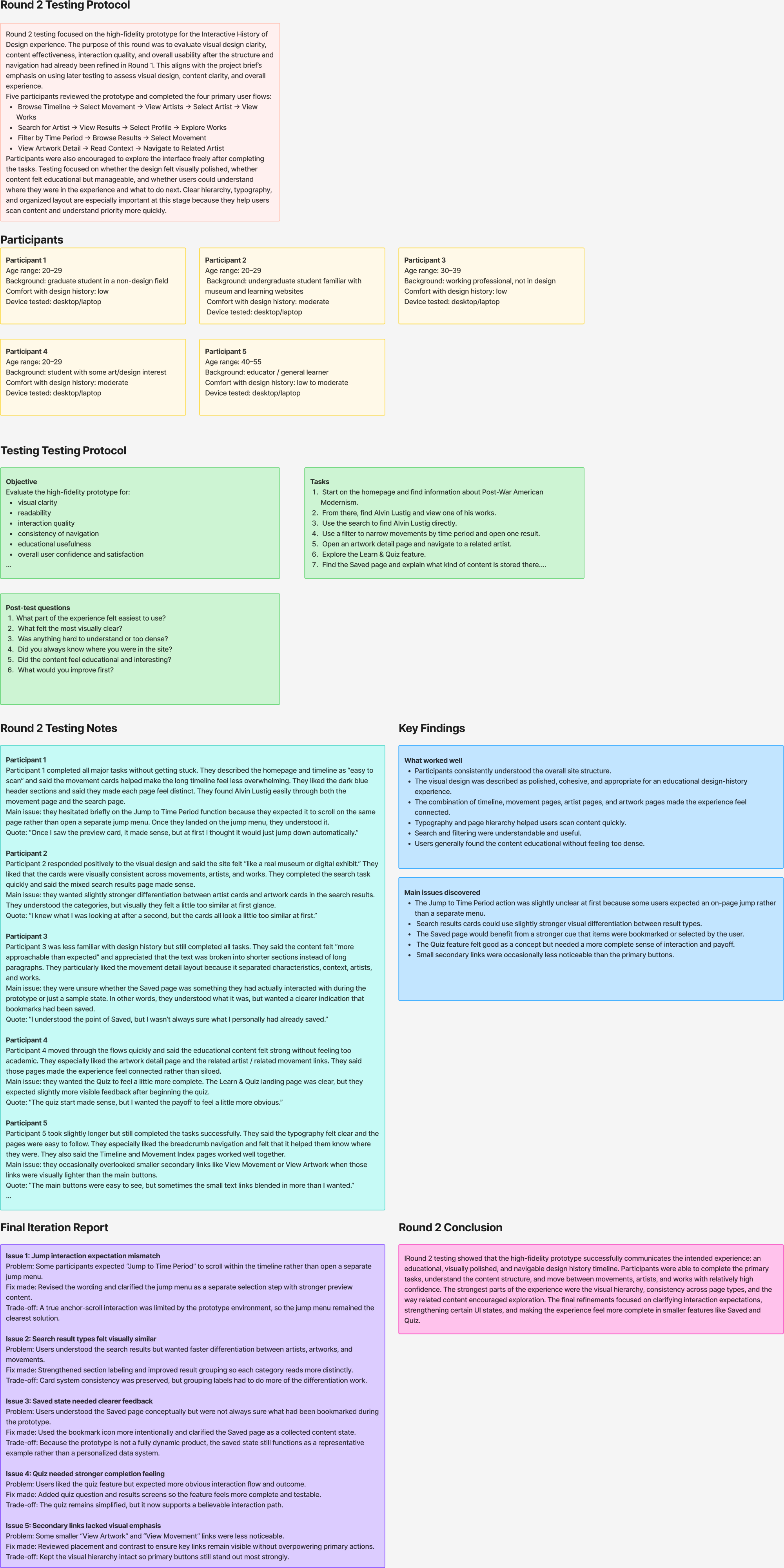
Round 2 testing record
The test plan covered navigation confidence, content clarity, educational usefulness, search, filters, saved content, and the Learn and Quiz flow.
09
Outcome
Research became a tested, buildable product system.
The final case study connects visual scholarship to practical UX decisions. It demonstrates how I move from source material to content models, reusable components, responsive page templates, tested interaction states, and a coherent educational experience.
Interaction design
Information architecture
Design systems
User testing